📦 Plugin Configuration & Deployment
This guide provides a comprehensive overview of how to configure, package, and deploy custom UI plugins. Plugins can either extend the sidebar with new pages or embed components into existing views.
📦 Plugin Packaging
Before uploading, a plugin must be packaged as a .zip archive containing the bundled application and a plugin.config.json manifest file at its root.
🏗️ Archive Structure
Your .zip file must be created from the contents of your dist directory, with plugin.config.json added to the root. The dist folder itself should not be included in the archive.
my-plugin.zip
├── assets/
│   ├── main.js
│   ├── styles.css
│   ├── image.png
│   └── ... (fonts, etc.)
├── index.html
└── plugin.config.json
- Archive Root: The root must contain your
index.htmlandplugin.config.json. assets/: All other static assets, including JavaScript bundles, CSS files, images, and fonts, must be placed inside this directory.plugin.config.json: This manifest file must be at the root of the archive.
The entryPoint in your configuration must point to an HTML file at the root (e.g., "entryPoint": "index.html").
📄 plugin.config.json Example
Here is a complete example of a plugin.config.json file. It defines a Single Page Application (SPA) with four different resources: two sidebar pages and two embedded components, along with top-level permissions.
{
  "dependOn": [],
  "resourceType": "SPA",
  "version": "1.0.0",
  "entryPoint": "index.html",
  "permissions": [
    {
      "groupName": "Home Page",
      "resource": "home",
      "items": [
        {
          "name": "write",
          "description": "Allow to create products"
        }
      ]
    },
    {
      "groupName": "Products Page",
      "resource": "products",
      "items": [
        {
          "name": "read",
          "description": "Allow to view products",
          "dependOn": [
            {
              "resource": "home",
              "name": "write"
            }
          ]
        }
      ]
    }
  ],
  "resourceOutput": [
    {
      "name": "Home Page",
      "resource": "home",
      "tags": ["some tag"],
      "componentRoute": "/",
      "type": "page",
      "label": "Home Page",
      "styles": {
        "height": "100%",
        "width": "100%",
        "initialBgColor": "white"
      }
    },
    {
      "name": "Products Page",
      "resource": "products",
      "tags": ["some tag"],
      "componentRoute": "/products",
      "type": "page",
      "label": "Products Page",
      "styles": {
        "height": "100%",
        "width": "100%",
        "initialBgColor": "white"
      }
    },
    {
      "name": "Analytics Dashboard",
      "resource": "analytics",
      "componentRoute": "/analytics",
      "type": "embedded",
      "target": "ProjectUsers",
      "styles": {
        "height": "700px",
        "width": "100%",
        "initialBgColor": "white"
      }
    },
    {
      "name": "User Management",
      "resource": "users",
      "componentRoute": "/users",
      "type": "embedded",
      "target": "ProjectUsers",
      "styles": {
        "height": "1000px",
        "width": "100%",
        "initialBgColor": "white"
      }
    }
  ]
}
📖 Field Reference
This section breaks down the fields in plugin.config.json.
🔝 Top-Level Fields
| Field | Type | Required | Description |
|---|---|---|---|
dependOn | string[] | No | Optional list of system modules or plugins that must be initialized before this one. |
resourceType | string | Yes | Type of the front-end application. Supported values: SPA, STATIC. |
version | string | Yes | The version of the plugin. Must be a valid semantic version (e.g., 1.0.0). |
entryPoint | string | Yes | Path to the application's bootstrap HTML file at the archive root. Must match the pattern {name}.html (e.g., index.html, app.html). |
permissions | PermissionGroup[] | No | Top-level permission groups to register for this plugin. See Permissions. |
resourceOutput | Resource[] | Yes | An array of resources to register. Must contain at least one item. See Resource Fields. |
⚙️ Resource Fields
Each object in the resourceOutput array defines a single resource. The schema is strict — no extra fields are allowed beyond those listed here.
| Field | Type | Required | Description |
|---|---|---|---|
resource | string | Yes | A unique identifier/key for the resource (e.g., "home", "analytics"). Must be unique across all resourceOutput items. |
name | string | Yes | The human-readable display name shown as the plugin title (max 126 characters). Must be unique among all page type resources. |
tags | string[] | No | Free-form tags for search and categorization. |
componentRoute | string | Yes | The route within the plugin SPA to mount (e.g., "/", "/products"). |
type | 'page' | 'embedded' | Yes | page adds a sidebar entry; embedded injects the component into a host view. |
label | string | No (only for page) | The display name shown in the sidebar navigation (max 126 characters). Only valid on page type. |
icon | string | No | Filename of the icon asset inside the assets/ directory (e.g., "icon.png"). Valid for both page and embedded types. |
target | 'ProjectUsers' | 'Dashboard' | Yes (for embedded) | The host surface where the embedded component should appear. Must be unique across all embedded type resources. |
styles | object | Yes | Defines container styling. Required for all resource types. |
styles.height | string | Yes | Container height (e.g., "100%", "700px"). Must be a valid CSS value. |
styles.width | string | Yes | Container width (e.g., "100%"). Must be a valid CSS value. |
styles.initialBgColor | string | No | Background color shown during plugin load to prevent content flashing (e.g., "white", "#fff"). |
🔑 Permissions Object
Permissions are defined at the top level of plugin.config.json as an array of permission groups. Each group is linked to a resource by its resource identifier.
Permission Group (permissions[]):
| Field | Type | Required | Description |
|---|---|---|---|
groupName | string | Yes | A human-readable label for this permission group. |
resource | string | Yes | The resource identifier this group applies to (must match a resource in resourceOutput). |
items | PermissionItem[] | Yes | At least one permission item must be defined. |
Permission Item (permissions[].items[]):
| Field | Type | Required | Description |
|---|---|---|---|
name | string | Yes | The permission name (e.g., "read", "write"). |
description | string | Yes | A user-friendly description of what the permission allows. |
dependOn | PermissionDependency[] | No | An optional list of permissions from other resources that this permission requires. |
Permission Dependency (permissions[].items[].dependOn[]):
| Field | Type | Required | Description |
|---|---|---|---|
resource | string | Yes | The resource identifier of the dependency. |
name | string | Yes | The permission name on that resource that must be granted first. |
✅ Validation Rules
The config is validated strictly — unknown fields cause validation failure. Key rules:
versionmust be a valid semver string (e.g.,1.0.0,2.1.3-beta.1).entryPointmust match{name}.htmland the referenced file must exist in the archive.resourceOutputmust contain at least one item.- Each
resourcevalue across allresourceOutputitems must be unique. - Each
namevalue across allpagetype items must be unique. - Each
targetvalue across allembeddedtype items must be unique. styles.heightandstyles.widthmust be valid CSS values.- No additional fields beyond those listed above are permitted in any object.
🚀 Deployment & Validation
After packaging your plugin into a .zip archive, you can deploy it through the UI.
-
Upload & Validate: Begin by uploading your
.ziparchive. The system automatically validates the package structure and theplugin.config.jsonmanifest.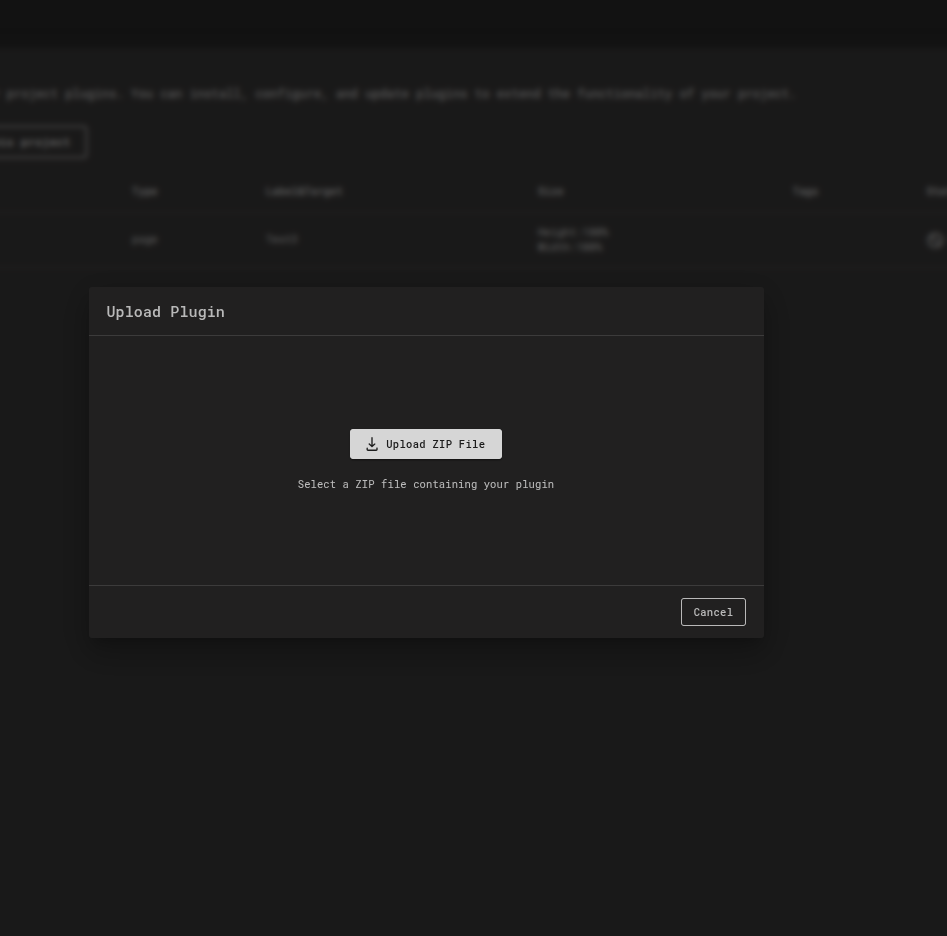
-
Review & Process:
-
On Success: If validation passes, you will see a preview of the parsed
plugin.config.json. Review the resources to be created or updated. Click Start Processing to proceed. All resources will be pushed to a processing queue. New resources will be created, while existing resources will be moved to anUPDATINGstage.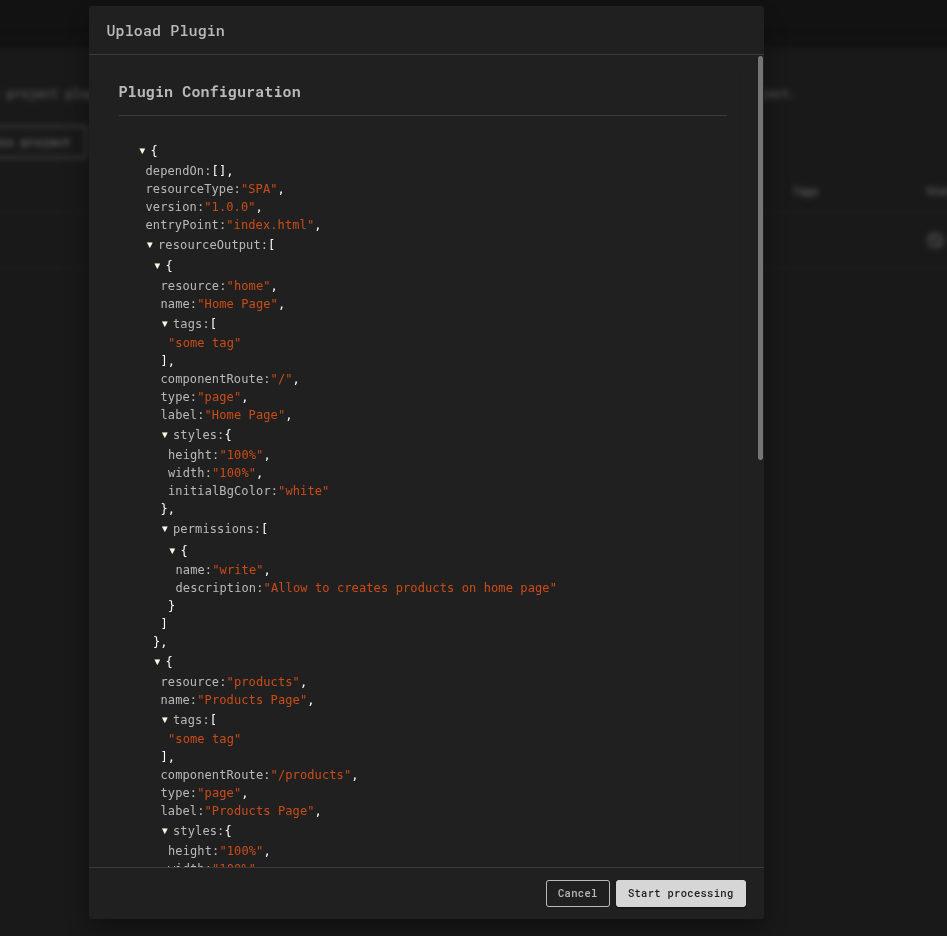
-
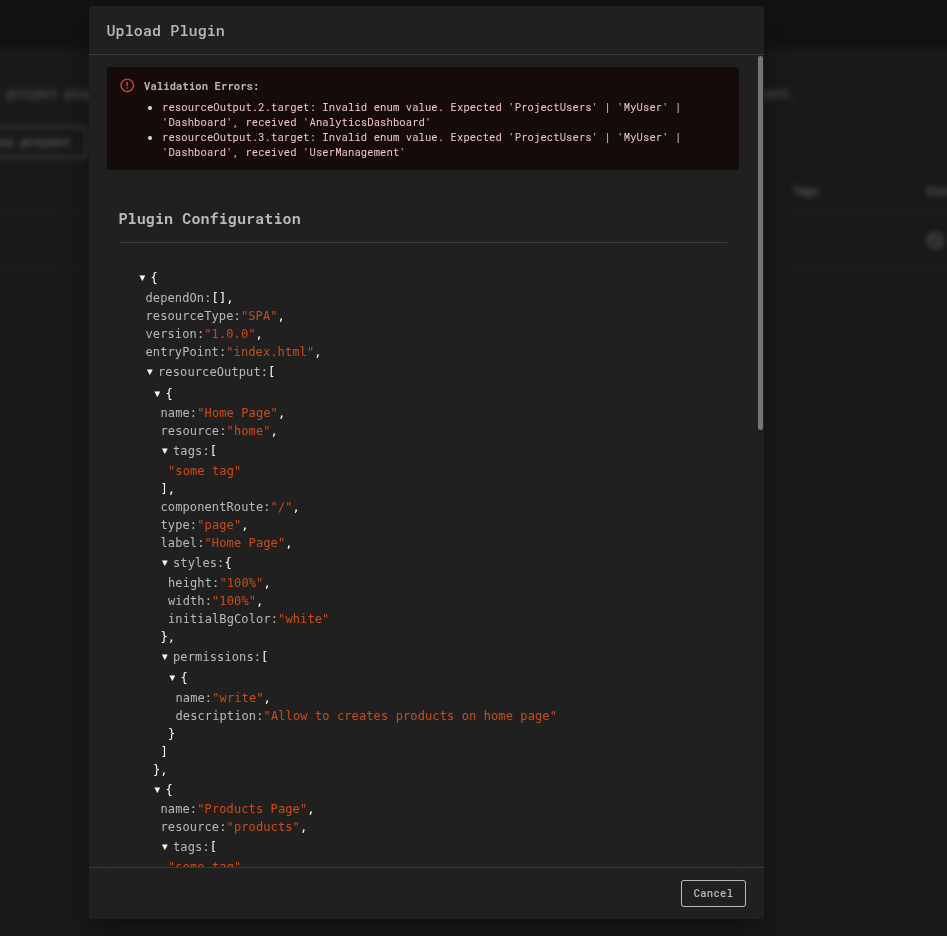
On Error: If validation fails, an error message will detail the specific issues. You must correct the errors in your package and re-upload it.
-
✨ Happy coding! If you run into any issues, please check your ZIP structure (entry-point HTML at root) and ensure your front-end supports any hash routes you've configured.
💡 Business Case
Imagine your organization needs a custom analytics dashboard inside the iXR platform to visualize VR training performance metrics.
- Using the Plugin Configuration, your dev team builds a plugin that connects to your own analytics API.
- By choosing Page as the plugin type, it appears in the iXR sidebar as a dedicated Analytics section.
- Trainers can filter sessions, track completion rates, and export reports — all inside the iXR UI without switching tools.
- If the dashboard layout changes, you can simply upload a new plugin bundle, and the update goes live without redeploying the core platform.
Benefits
- Gives stakeholders real-time insights without leaving iXR.
- Enables teams to roll out new visualization features quickly.
- Reduces reliance on external dashboards and context switching.