Database
The Database page in the iXR Platform is unique to each project and allows you to view, create, and manage your data.
📑 Page Layout
The Database page is divided into three main columns:
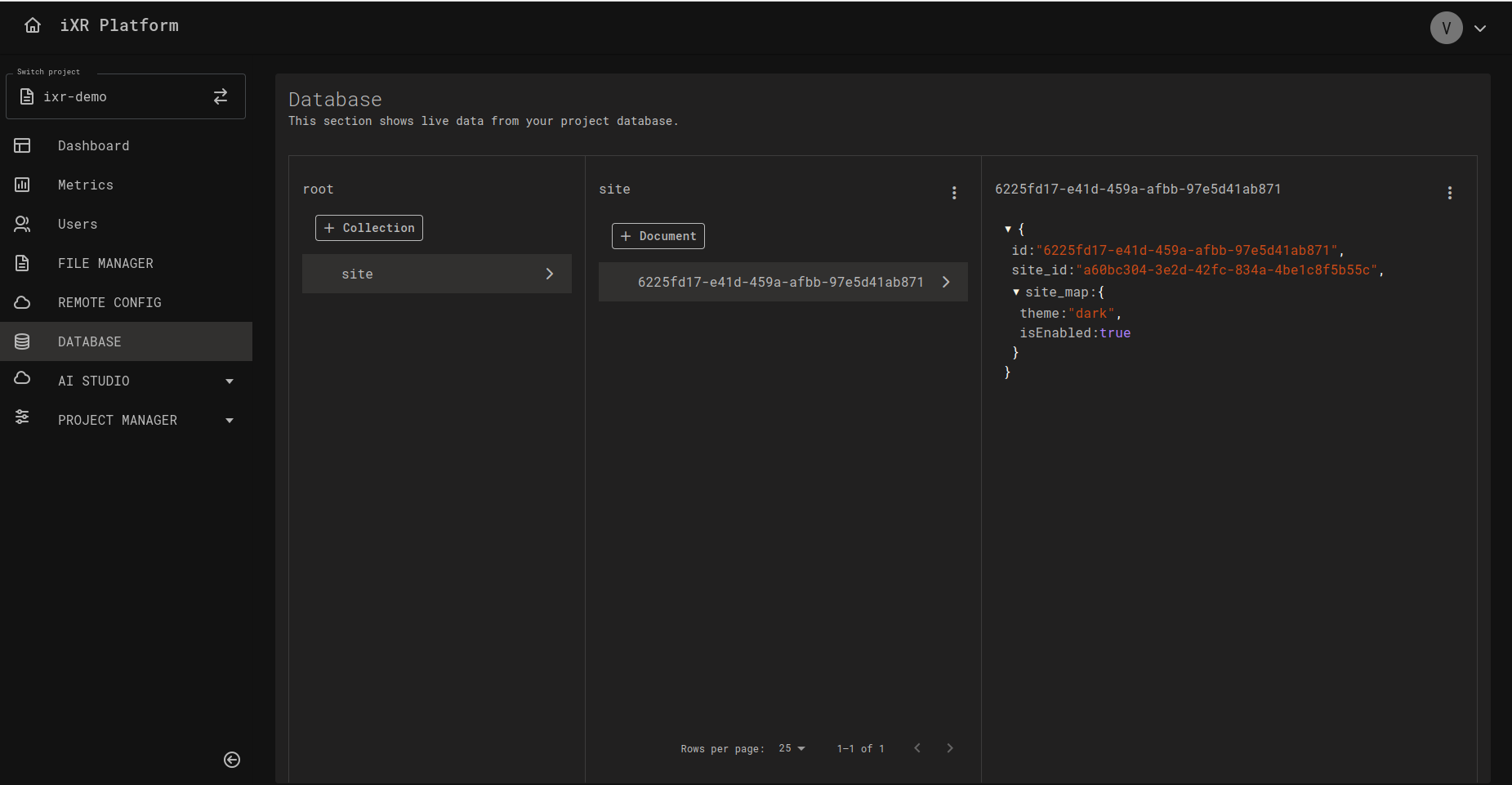
1️⃣ Collections List
- Displays all collections in the current project.
- Acts as the entry point to explore your data model.
- Use + Collection to create new collections.
2️⃣ Documents List
- Shows all documents in the selected collection.
- Each document is listed by its ID.
- Lets you quickly see the number of documents and pick one for editing.
3️⃣ Document Preview
- Displays the full JSON structure of the selected document.
- JSON is prettified for easier reading.
- Supports deeply nested structures for inspection.
➕ Adding or Editing Documents
Click + Document or select an existing one to open the editor modal. You can choose between two editing modes:
📝 RAW Editor
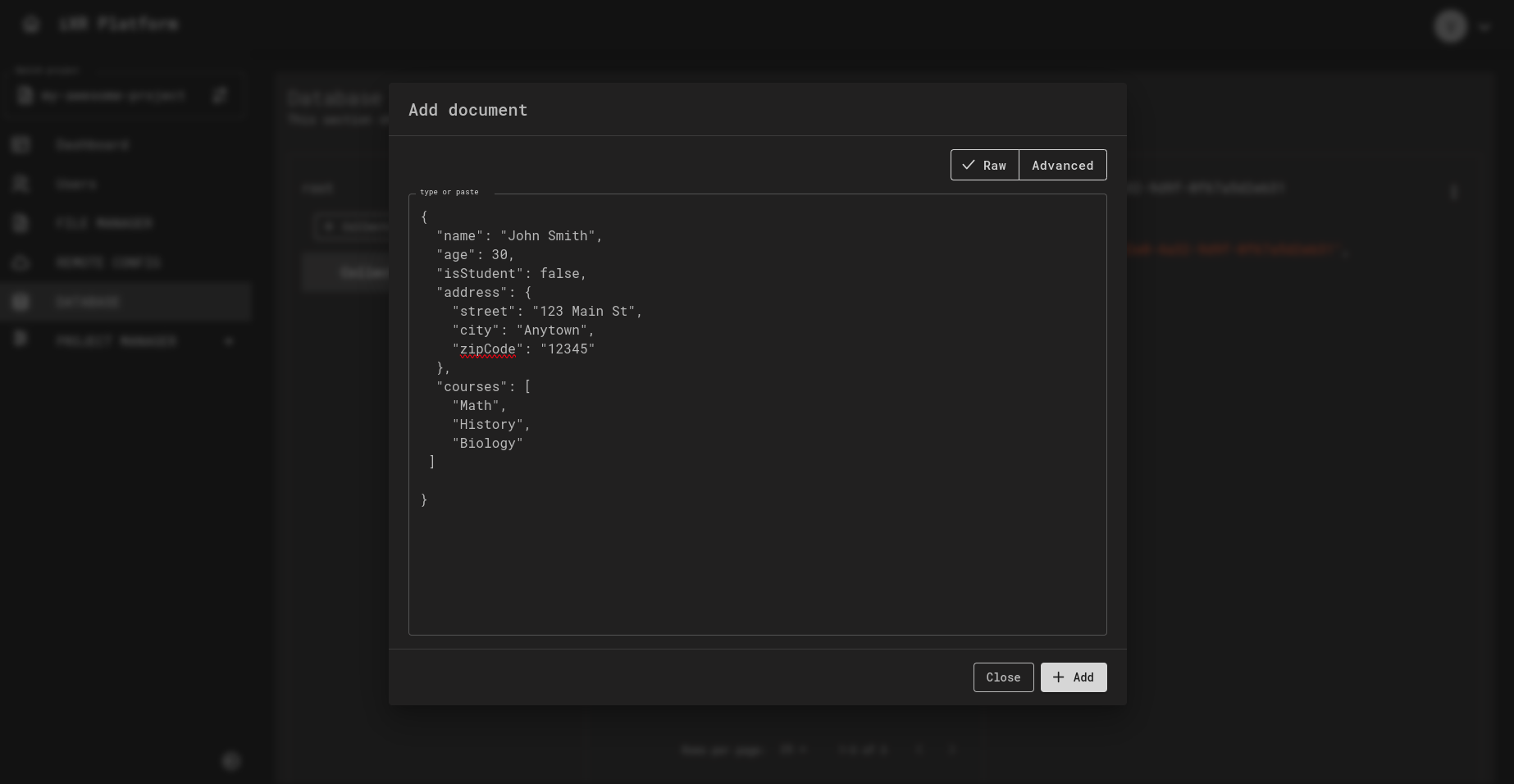
- A freeform text editor.
- Requires valid JSON input.
- Best for pasting or quickly editing JSON.
Example JSON:
{
  "SiteMap": {
    "Path": "/site/xml"
  },
  "DomainList": ["example.com"],
  "IsSiteEnabled": true
}
⚙️ Advanced Editor
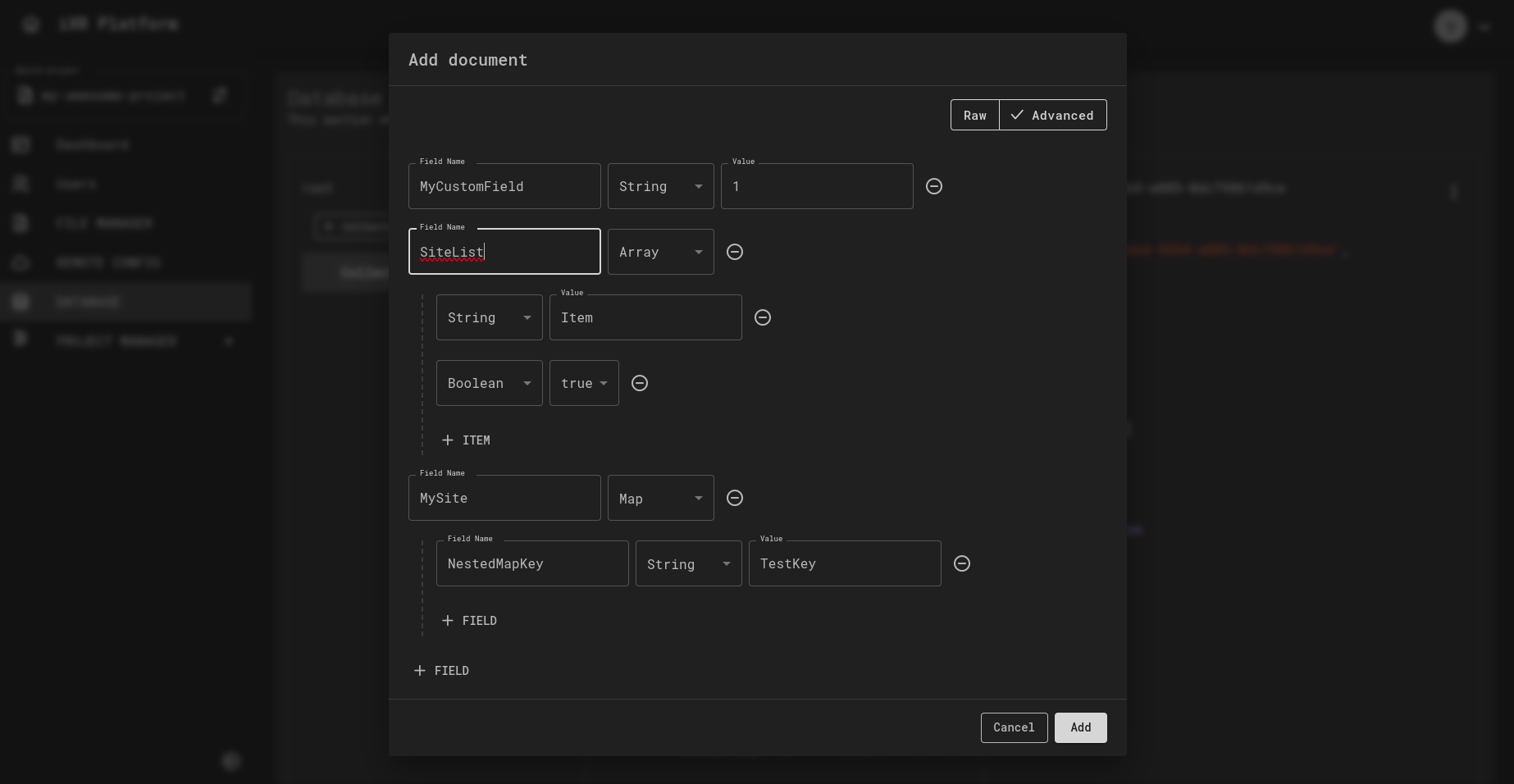 - A
guided, form-based editor for building JSON. - Add fields with type selection
(String, Boolean, Array, Map, etc.). - Supports arbitrary levels of nesting. -
Perfect for users who don’t want to handwrite JSON.
- A
guided, form-based editor for building JSON. - Add fields with type selection
(String, Boolean, Array, Map, etc.). - Supports arbitrary levels of nesting. -
Perfect for users who don’t want to handwrite JSON.
Example features:
- Add new fields with type selection.
- Build arrays containing strings, numbers, booleans, or complex objects.
- Create maps (nested objects) with custom keys and values.
🔀 Data Flow (Create → Retrieve → Update → Retrieve)
✅ Best Practices
Always validate your JSON before saving. Invalid JSON will block updates and may break integrations.
For deeply nested data, the Advanced Editor reduces errors and makes editing easier for non-technical users.
Only create fields you actually need. Extra unused fields make documents harder to maintain and slower to query.
The Database is not meant for version control. If you need version history, track it externally or store version tags in your documents.
Grant edit permissions sparingly. Most team members should have read-only access to prevent accidental changes.
💡 Business Case
Imagine you’re building a VR training app. Each lesson’s content (instructions, difficulty level, and scenario metadata) is stored in the Database as JSON documents.
- The Collections List groups lessons (e.g., modules).
- The Documents List shows individual lessons by ID.
- The Document Preview lets you inspect or adjust the JSON.
When a trainer needs to update a scenario (e.g., change difficulty from easy to hard), they can edit the document in the Advanced Editor—no code deployment required. This enables rapid, safe content updates by non-developers.