🏢 Company Members
On this page, you will find complete information about Company Members—users who belong to the company (organization) and can be assigned roles. Company Members are the foundation of user management at the company level. They can also be invited as Project Members to participate in specific projects.
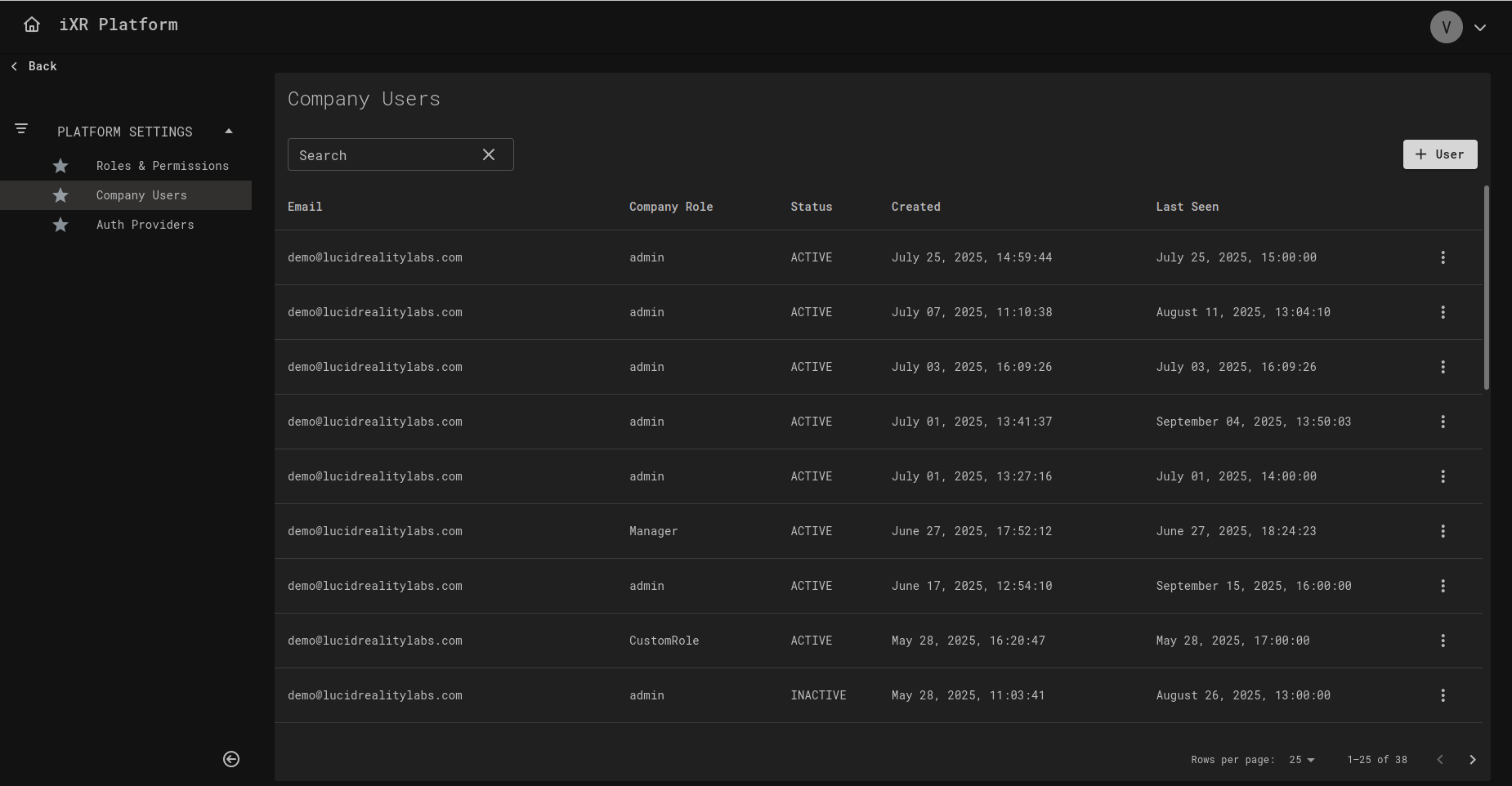
➕ Add New Company Member
By clicking the + User button, an invitation modal appears where you must:
- Enter the email of the person you want to invite.
- Select a role (e.g., Admin, Manager, CustomRole).
✅ After confirming, the user will receive an invitation email. Once accepted, they will appear in the list of Company Members with the assigned role.
✏️ Edit Company Member
By clicking the edit icon next to a user, a modal opens where you can:
- Change the Company Role (e.g., Admin, Manager, CustomRole).
- Deactivate the User — disables their access without deleting their profile.
❌ Deactivate User
- When a user is deactivated, their status changes to INACTIVE.
- Inactive users cannot log in to the platform.
- They remain in the Company Members list for audit purposes and can be reactivated later.
📊 Company Members Table
The table provides an overview of all users in the company:
- Email – The unique identifier of the user.
- Company Role – Assigned role (Admin, Manager, or custom).
- Status –
ACTIVEorINACTIVE. - Created – Date and time when the user was added.
- Last Seen – The last time the user logged into the platform.
🏆 Best Practices
- 🔒 Least Privilege — Assign users the minimal company role required.
- 📌 Use Company Roles — Define roles consistently (e.g., Admin, Manager, Auditor) instead of per-project duplication.
- 🚫 Deactivate Instead of Delete — Keep history for audits by deactivating users rather than removing them.
- 🔄 Review Roles Regularly — Ensure members only have access relevant to their current responsibilities.
💡 Business Case — Managing Access at Scale
Imagine your organization manages multiple VR training projects (e.g., different departments).
- Admins configure roles and manage Company Members.
- Managers are responsible for inviting and assigning Project Members.
- Auditors can be added with read-only roles for compliance checks.
With centralized Company Member management:
- Adding or removing a person in the company instantly controls their access across all projects.
- You avoid redundant user management at the project level.
- Compliance and security are simplified since user access is tracked at the company level.