Agents
The Agents page in the AI Studio allows you to create, manage, and customize AI agents. Each agent can be tailored with its own personality, knowledge base, model providers, and behavior settings.
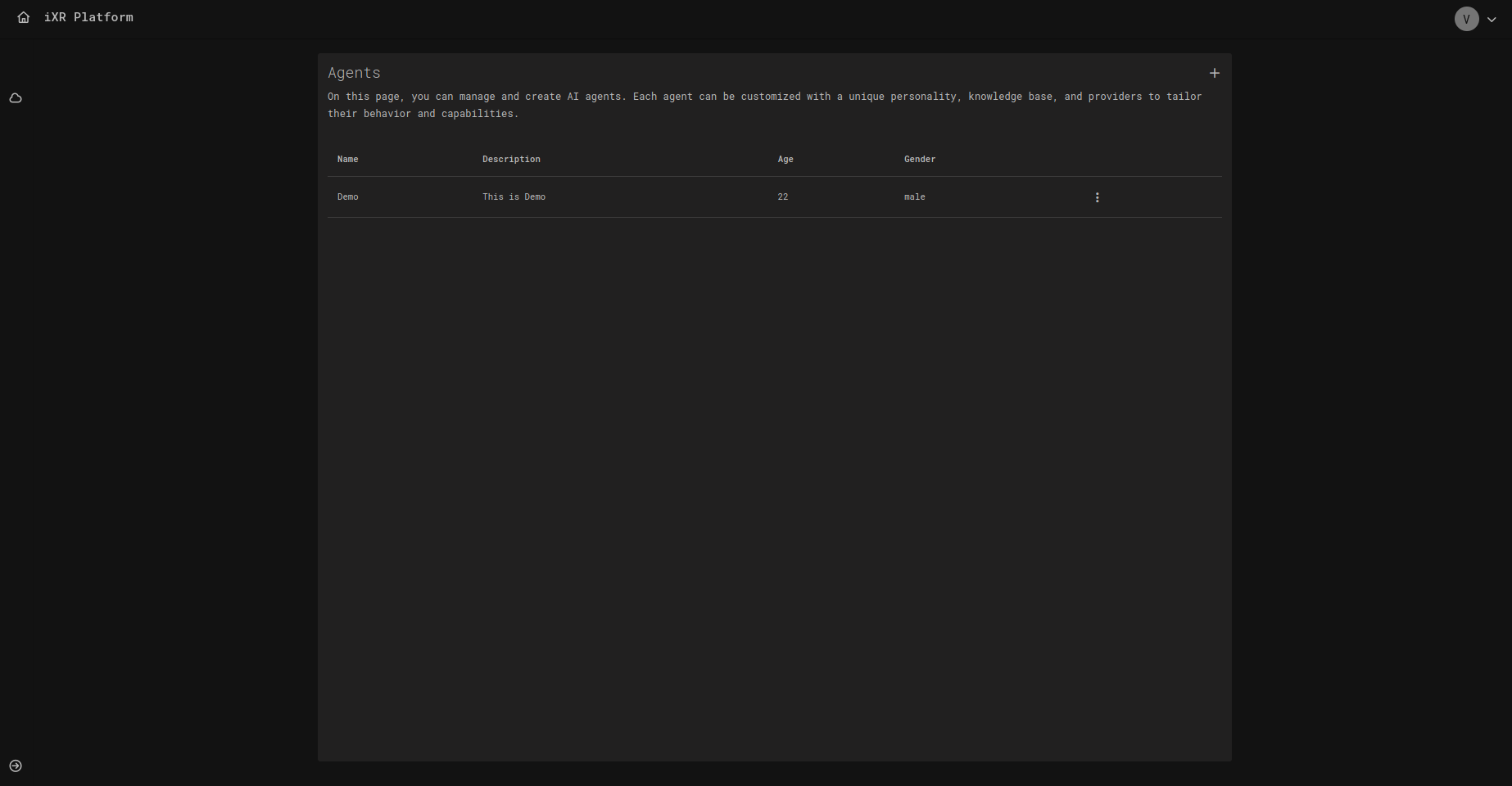
📑 Page Layout
The Agents page consists of a list of created agents and controls to add new ones.
- Name – Unique identifier of the agent.
- Description – Short summary of the agent’s purpose.
- Age / Gender – Optional demographic traits.
- ⋮ Actions – Edit or delete an existing agent.
Click + Agent to open the agent editor.
🛠️ Creating & Editing an Agent
Creating a new agent or editing an existing one uses the same editor. Here you can configure the agent’s identity, personality, knowledge, and provider settings.
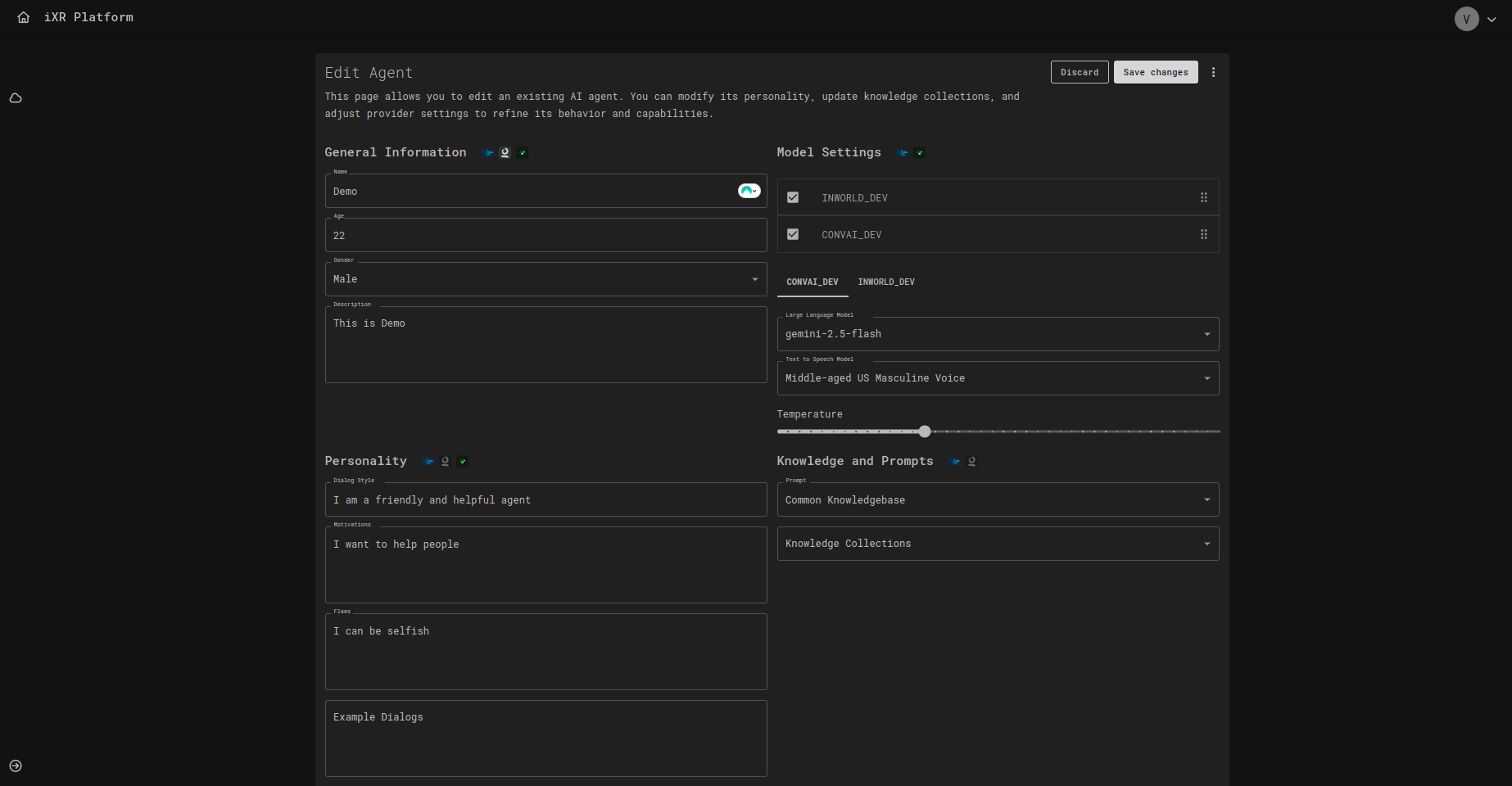
🧾 General Information
- Name – Agent’s display name.
- Age / Gender – Optional demographic details.
- Description – Defines the purpose or background story of the agent.
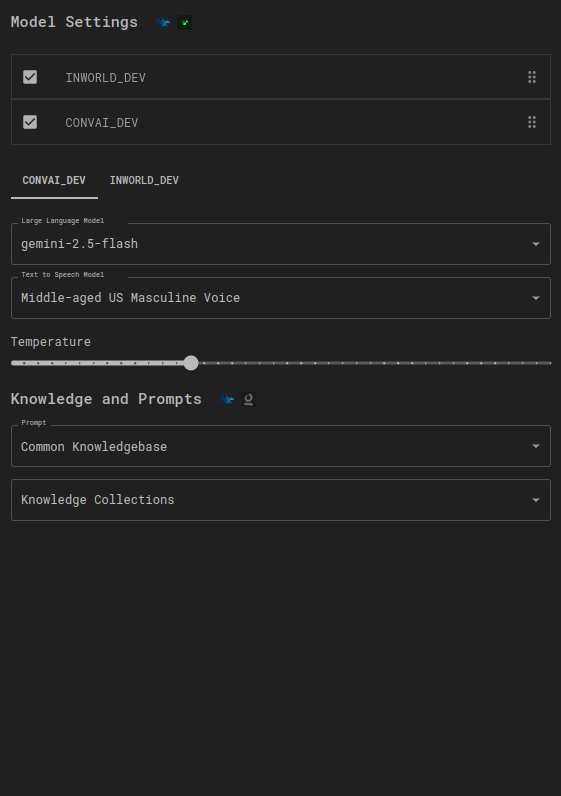
🧠 Model Settings
Choose which AI providers power the agent:
- Language Model – e.g.,
gemini-2.5-flash. - Text-to-Speech Model – e.g., Middle-aged US Masculine Voice.
- Temperature – Adjusts creativity vs determinism.
Providers can be combined (e.g., INWORLD + IXR AI).
🎭 Personality
Define how your agent communicates and behaves:
- Dialog Style – e.g., “I am a friendly and helpful agent.”
- Motivations – What drives the agent.
- Flaws – Limitations or quirks.
- Example Dialogs – Sample conversations to guide tone and interaction.
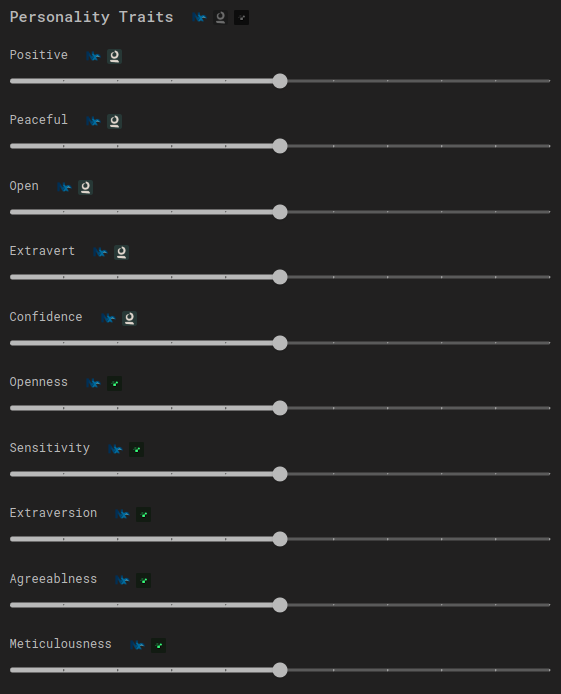
⚖️ Personality Traits
Fine-tune how the agent behaves using sliders:
- Positive / Peaceful / Open
- Extrovert / Confident / Sensitive
- Agreeableness / Meticulousness
📚 Knowledge and Prompts
Attach knowledge collections and prompts to enrich the agent’s expertise:
- Prompts – Specific behavior guidelines.
- Knowledge Collections – Custom knowledge bases for context-driven responses.
✅ Best Practices
- 🎯 Define clear roles – Decide if the agent is a mentor, customer, or teammate.
- 🧪 Experiment with traits – Small slider changes can drastically affect behavior.
- 📚 Use knowledge collections – Ground the agent in domain-specific information.
- 🚦 Balance creativity – Adjust temperature for structured vs. open-ended conversations.
- 🔒 Restrict sensitive data – Avoid uploading confidential or private information.
💡 Business Case
Imagine you are building a VR training program for customer service:
- The Agent acts as a virtual customer.
- Its Personality Traits make it impatient or friendly depending on the training scenario.
- Knowledge Collections provide real-world context (e.g., company policies, FAQs).
- Trainers adjust Dialog Style and Flaws to simulate different difficulty levels.
This makes training sessions realistic and adaptable to various skill levels.