📚 Knowledge Collections
The Knowledge Collections page allows you to create, edit, and manage knowledge repositories that your AI agents can use. Each collection acts as a container for files and text entries, which are then linked to providers, enabling agents to deliver more accurate and context-aware responses.
🗂️ Page Layout
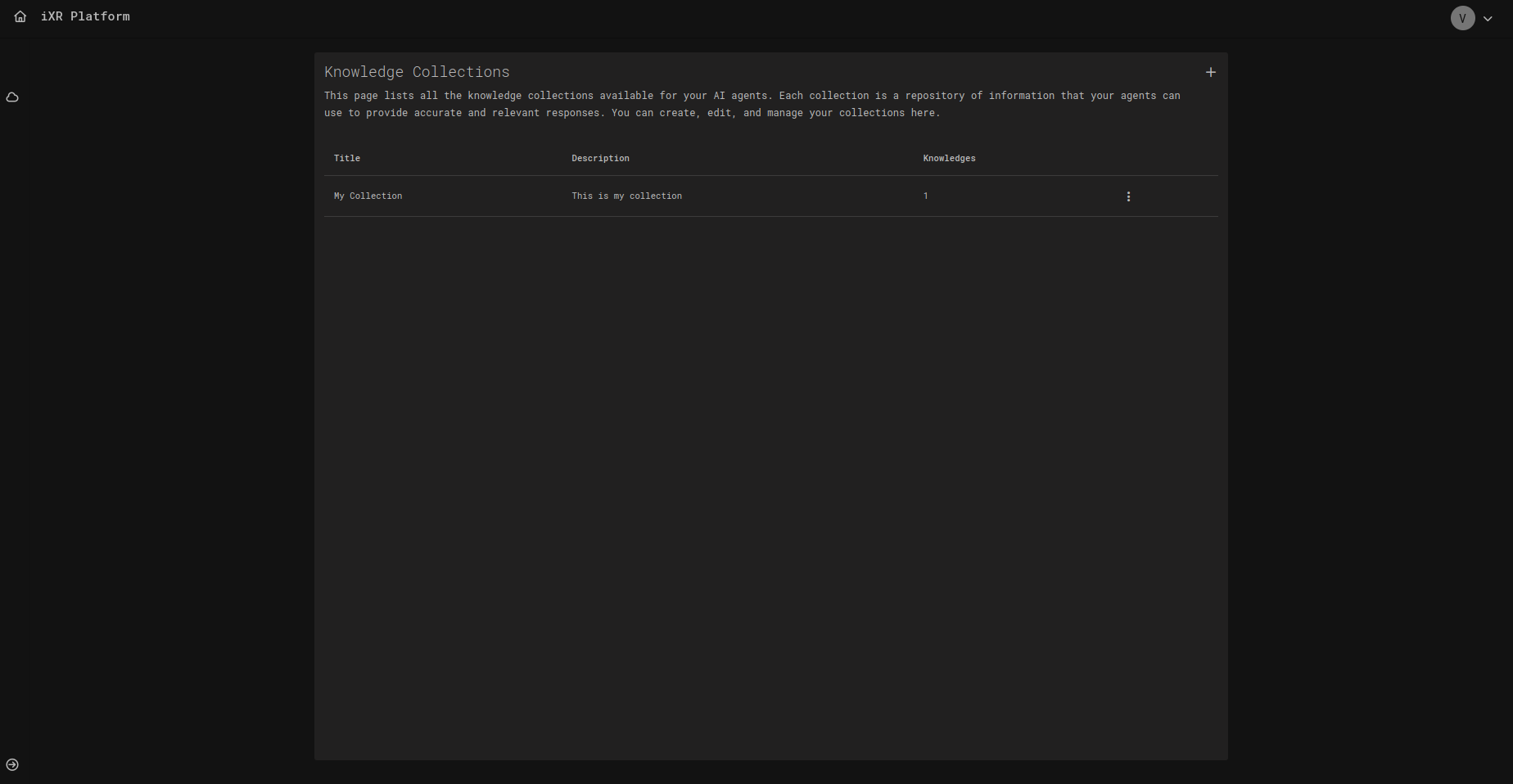
- Title – The name of the collection.
- Description – A short explanation of the collection’s purpose.
- Knowledges – Number of entries (files or texts) within the collection.
- Actions – Options to manage or delete the collection.
🛠️ Manage Knowledge Collections
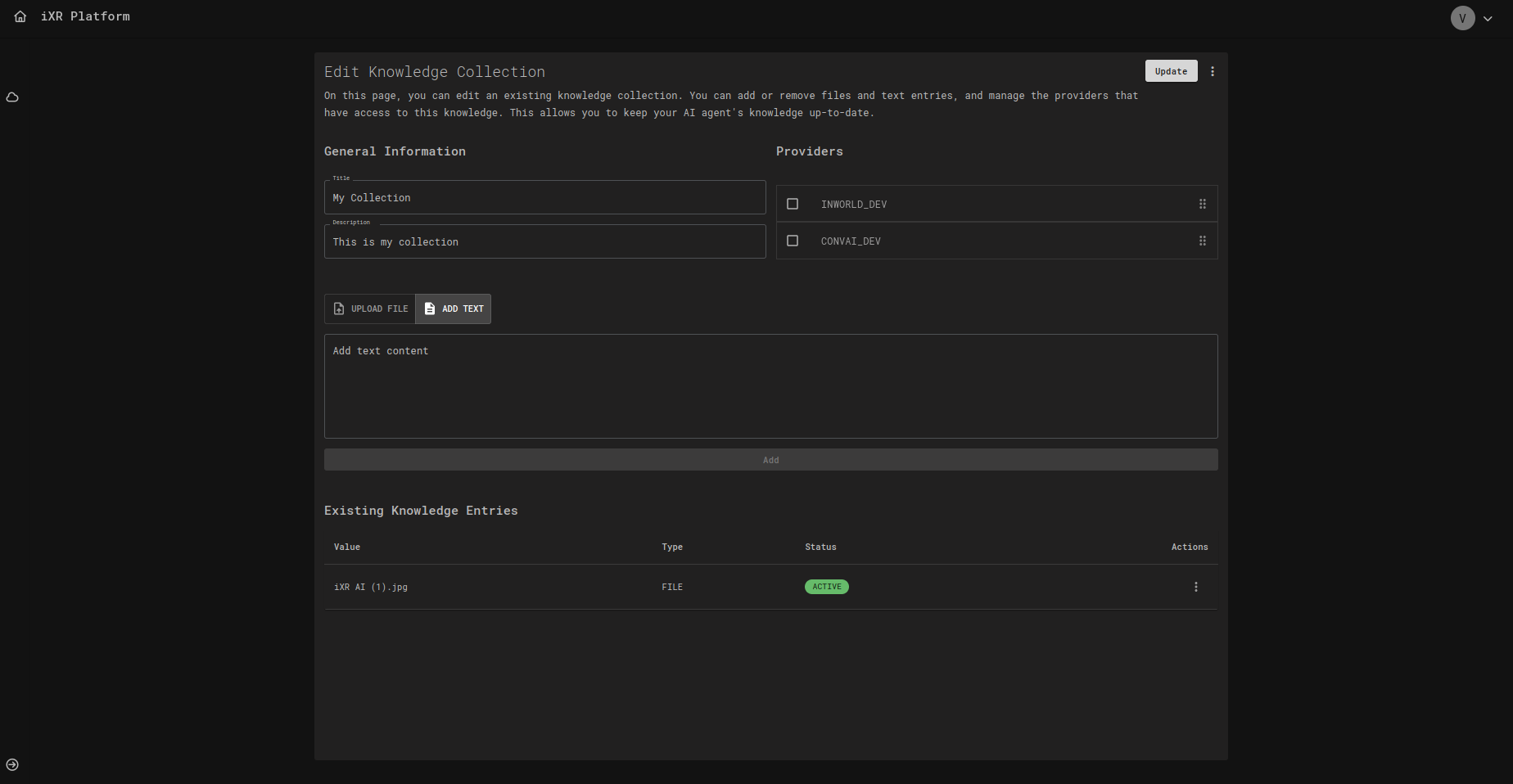
Whether you are creating a new collection or editing an existing one, the process is the same.
General Information
- Title & Description – Define or update the name and purpose of the collection.
- Providers – Choose which AI providers (e.g., INWORLD, CONVAI) have access to this knowledge.
Knowledge Entries
Collections can contain two types of entries:
- File Uploads – Drag and drop files (up to 10GB, multiple supported).
- Text Entries – Insert plain text directly.
Each entry is displayed with:
- Value – File name or text snippet.
- Type –
FILEorTEXT. - Status – Current state (e.g.,
ACTIVE). - Actions – Edit or remove the entry.
Workflow
- Define collection details.
- Upload files or add text.
- Assign providers.
- Save changes.
✅ Best Practices
- Keep collections modular (e.g., separate "Safety Guidelines" from "Advanced Procedures").
- Use clear titles and descriptions for quick identification.
- Regularly update entries to keep knowledge current.
- Limit provider access to ensure performance and relevance.
- Use text entries for short facts and files for full documents.
💡 Business Case
Imagine you’re building a VR medical training application where agents act as tutors. By creating a Knowledge Collection called Medical Procedures, you can upload:
- Official guidelines (PDFs).
- Training manuals (text).
- Case studies (images).
Then, assign this collection to your provider. Agents using this knowledge will be able to provide consistent, accurate, and medically validated answers, ensuring trainees always receive the most reliable guidance.