🤖 AI Playground
On this page, you can chat with your AI agents. Test their responses, experiment with different prompts, and interact with your agents in real-time to see how they behave and respond to various inputs.
Agents and Providers
To start testing your agents, you first need to select an agent from the available agents in your company and a provider.
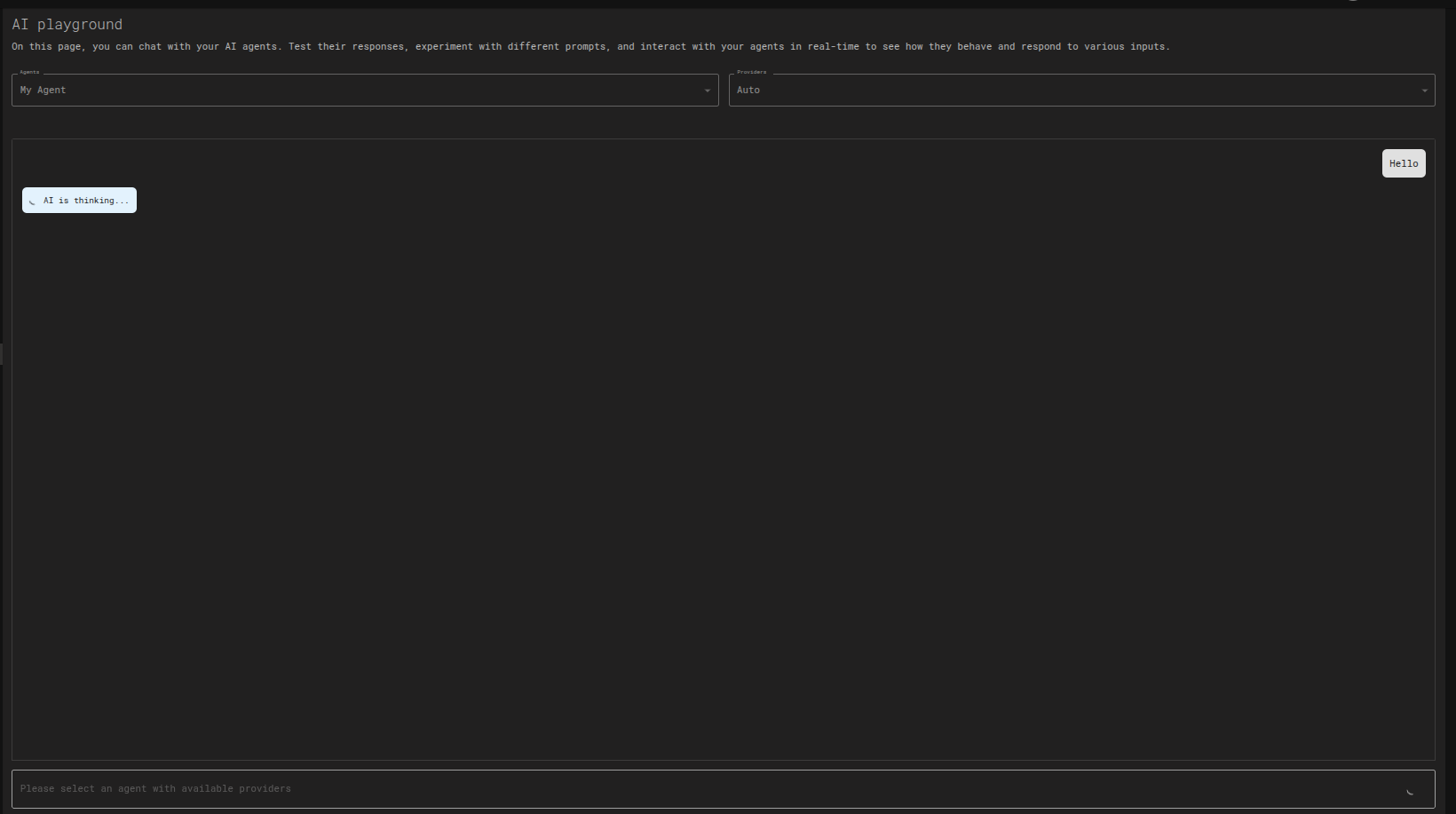
After you select your agent and provider, you will see the chat window, where you can start chatting with your agent.
💬 Chatting with your Agent
Once an agent and provider are selected, the chat interface becomes active. Here's how to interact with your agent:
- Send a Message: Type your message in the input box at the bottom and press Enter.
- Agent Responds: The agent will process your input and generate a response. You may see a "AI is thinking..." indicator while this happens.
- Real-time Interaction: Continue the conversation to test different scenarios and see how the agent's personality and knowledge hold up over multiple turns.
🧪 Use Cases for the Playground
The AI Playground is an essential tool for refining your agents. Here are some common use cases:
- Personality Testing: Check if your agent's dialog style, motivations, and personality traits are reflected in its responses. For example, if you've configured a "cautious" agent, does it ask clarifying questions?
- Knowledge Verification: Ask questions related to the documents or text in your agent's Knowledge Collections to ensure it can find and use the information correctly.
- Prompt Experimentation: Quickly test how changes to a prompt affect the agent's behavior without needing to run a full application build.
- Debugging and Refinement: Identify unexpected or incorrect responses and use the insights to go back and refine the agent's configuration.
✨ Tips for Effective Testing
Get the most out of the Playground with these tips:
- Be Specific: Ask clear, targeted questions to get predictable responses. Vague questions can lead to generic answers.
- Test Edge Cases: Try to push the agent's boundaries with unexpected, complex, or nonsensical inputs to see how it handles errors.
- Role-Play: Interact with the agent as your target user would. If it's a training assistant, act like a trainee. If it's a customer support bot, act like a customer.
- Iterate and Compare: Tweak a single personality trait or prompt, and then run the same test conversation to see the direct impact of your change.
💾 Chat History
By default, each chat in the AI Playground is a one-time session and is not saved. However, you can configure your environment to save chat history.
- Session-based: Without configuration, the history is cleared when you refresh the page.
- Saving History: You can enable chat history persistence, which currently supports saving up to 100,000 characters of conversation. This is useful for longer-term analysis and debugging of agent interactions.