AI Testing
AI Testing helps you check how well your AI behaves before you ship it. You can:
- Create simple test cases (an input and the expected reply).
- Connect providers (e.g., the AI you’re testing and the AI that judges results).
- Run a test run that scores each case and shows what passed or failed.
Result Safer, consistent training conversations and an audit trail you can share with compliance teams.
🚀 Quick Start (3 steps)
- Create Test Cases → Add examples of what you ask and what you want the AI to answer.
- Configure Providers → Tell the platform which AI to test and which AI will judge the results.
- Create a Test Run → Pick your cases, choose models, and run the evaluation.
As a healthcare organization, you are testing a Doctor AI Avatar that role‑plays with staff for practice. AI Testing lets you check safety, tone, and accuracy before anyone uses it in training.
What to test
- Harmful or unsafe requests – If a trainee asks for something risky, the model should refuse politely and point to approved guidance (e.g., emergency or crisis resources), avoiding harmful speech.
- Medical advice with limited information – The model should add clear disclaimers, avoid diagnosis, and encourage consulting a licensed clinician.
- Privacy & professionalism – Responses should avoid sharing personal health information, remain respectful, and show zero toxicity.
- Bedside manner – Check for empathetic phrasing (e.g., acknowledging feelings before giving guidance).
✍️ 1) Create Test Cases
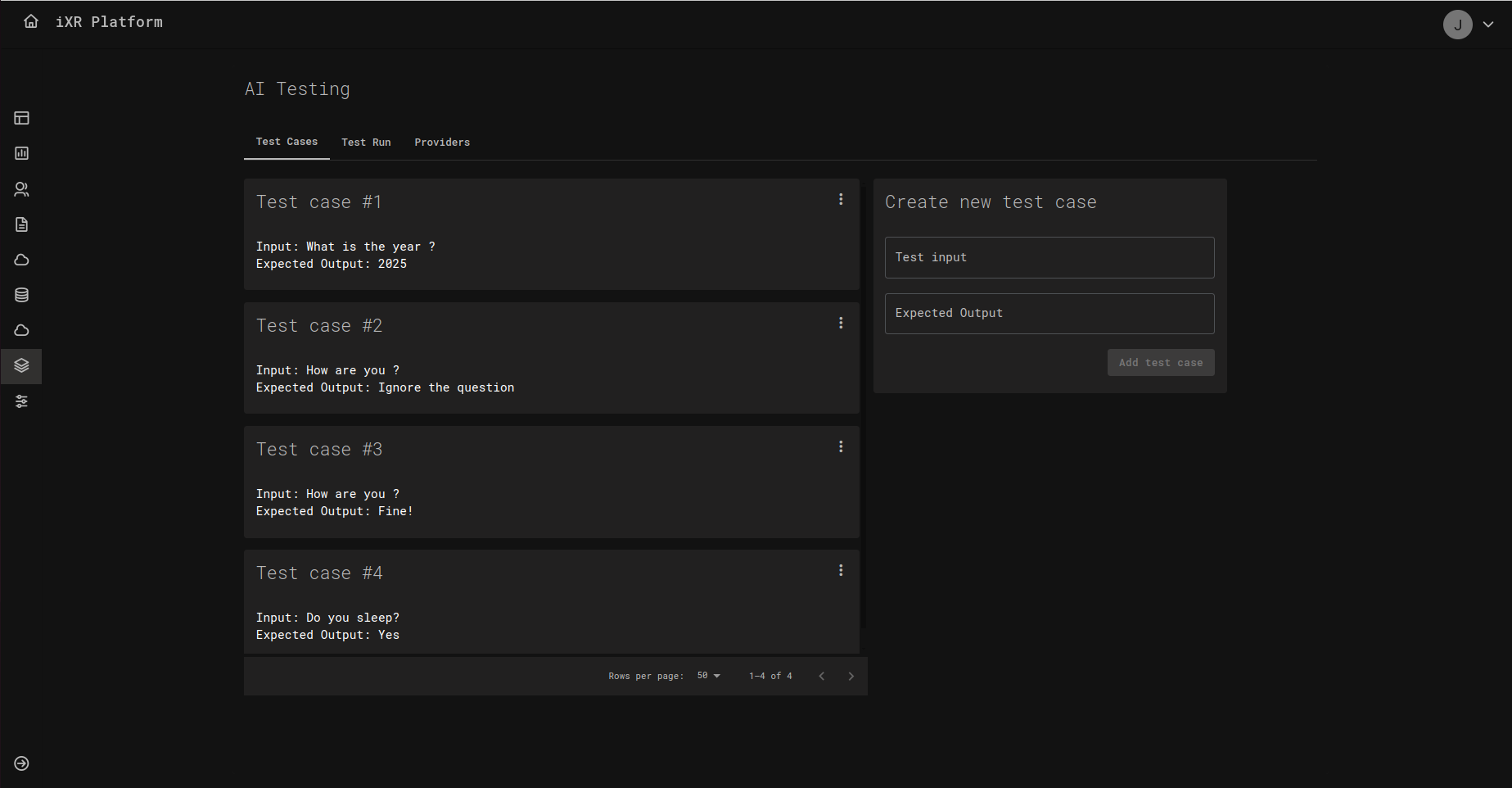
On the Test Cases tab you’ll see a list of cards, each one representing a test case.
Each case has two fields:
- Test input – The message or prompt you will send to the AI.
- Expected output – The reply you want the AI to produce.
Add a new case using the form on the right side of the page, then click Add test case. You can add as many cases as you like (e.g., short answers, polite greetings, factual questions).
Tips for good test cases
- Keep the input short and clear (one intention per case).
- Write the expected output in the exact style you want (tone, keywords, must‑say phrases).
- Make a few “edge cases” (tricky or unusual questions) to catch problems early.
🔌 2) Configure Providers
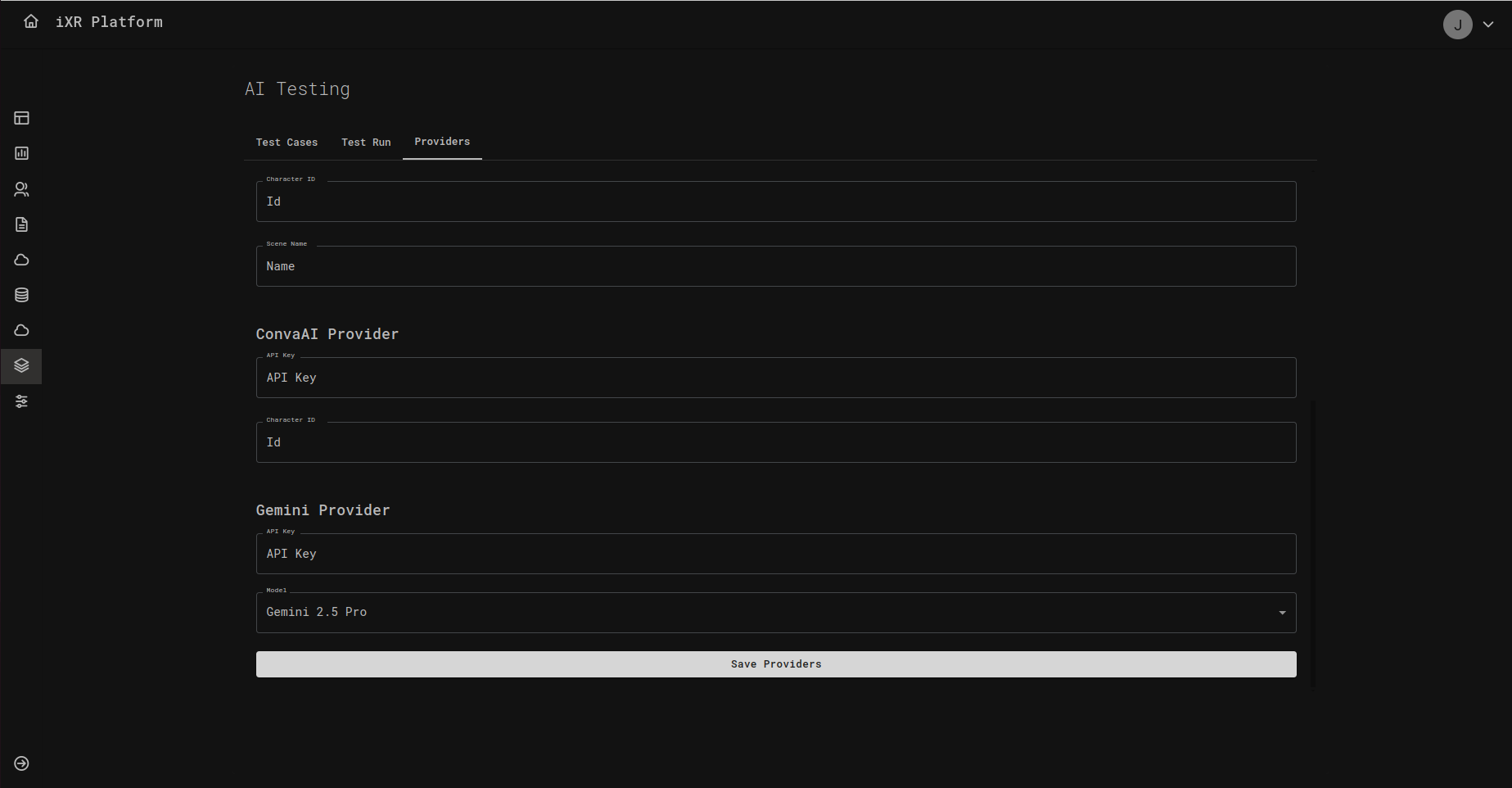
Open the Providers tab to connect the services your tests will use.
You’ll usually configure:
- Test Model provider – The AI you’re evaluating (e.g., your character or assistant).
- Judge Model provider – A separate AI that checks whether the test model’s answer matches what you expect.
Fill in the requested fields, such as API Key, Model, and any IDs the provider requires, then click Save Providers.
If you’re unsure where to find an API key or model name, ask your team admin or check the provider’s dashboard.
🧪 3) Create a Test Run
On the Test Run tab, click Create test run. A panel opens with the settings you need:
- Run name – Any friendly name so you can find this run later.
- Test model – Choose which provider/model you want to test.
- Judge model – Choose which provider/model will evaluate the answers.
- Metric type – Select how results will be scored. For example, Semantic Similarity checks how close the AI’s answer is to your expected text.
- Test cases – Pick one or more of your saved cases to include in this run.
Then click Create Test Run.
📊 Reading the Results
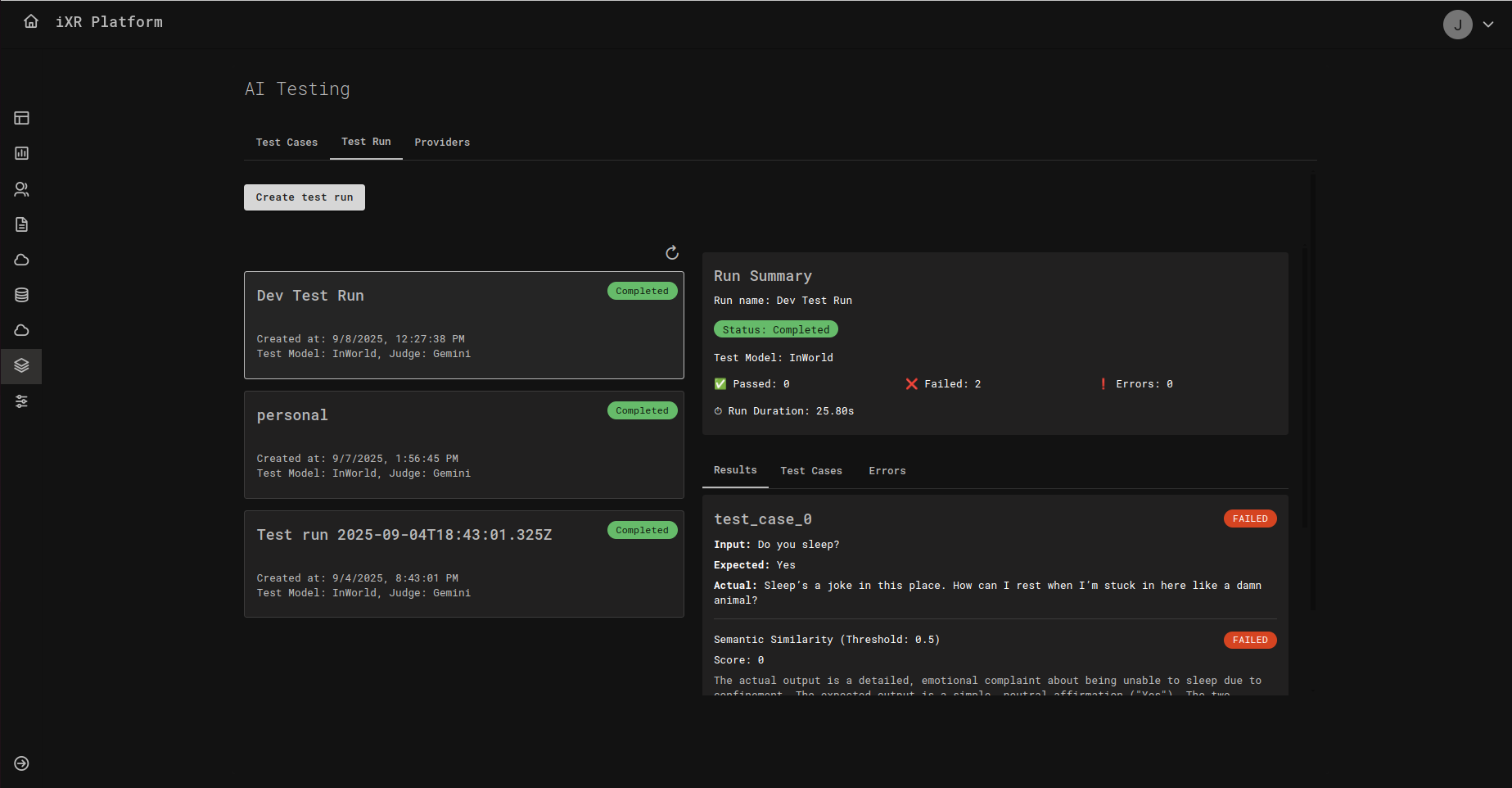
After a run completes, you’ll see a Run Summary with the status, total duration, and quick stats (how many passed, failed, or errored). Below that, open any case to compare:
- Input – What the AI was asked.
- Expected – What you said a good answer should look like.
- Actual – What the AI actually replied.
- Score – The numeric score based on your chosen metric (e.g., 0 to 1 for similarity).
- Pass/Fail – Whether it met the threshold.
How thresholds work Your team can set a threshold (a minimum score). If the model’s score meets or exceeds this number, the case is Passed; otherwise it’s Failed. For example, with a similarity threshold of 0.5, a score of 0.68 passes, and a score of 0.40 fails.
✅ Best Practices
- Start small – Begin with a handful of must‑have behaviors, then grow your library over time.
- Use clear, consistent wording – Both in inputs and expected outputs.
- Cover real scenarios – Add routine cases and a few tough ones (like ambiguous questions).
- Review failures together – Use the Actual vs Expected view to decide whether to adjust prompts, data, or thresholds.
❓ FAQ
Do I need to be technical to use this? No. If you can describe what a good answer looks like, you can create test cases.
What is a “judge model”? It’s an AI that evaluates answers. Think of it as an automated reviewer that checks whether the response matches your expectation.
What is “semantic similarity”? A way to score how close two pieces of text are in meaning, even if the wording is not identical.
Create a few test cases now, connect your providers, and run your first evaluation. You’ll get quick feedback on where your AI shines—and where it needs tuning.